
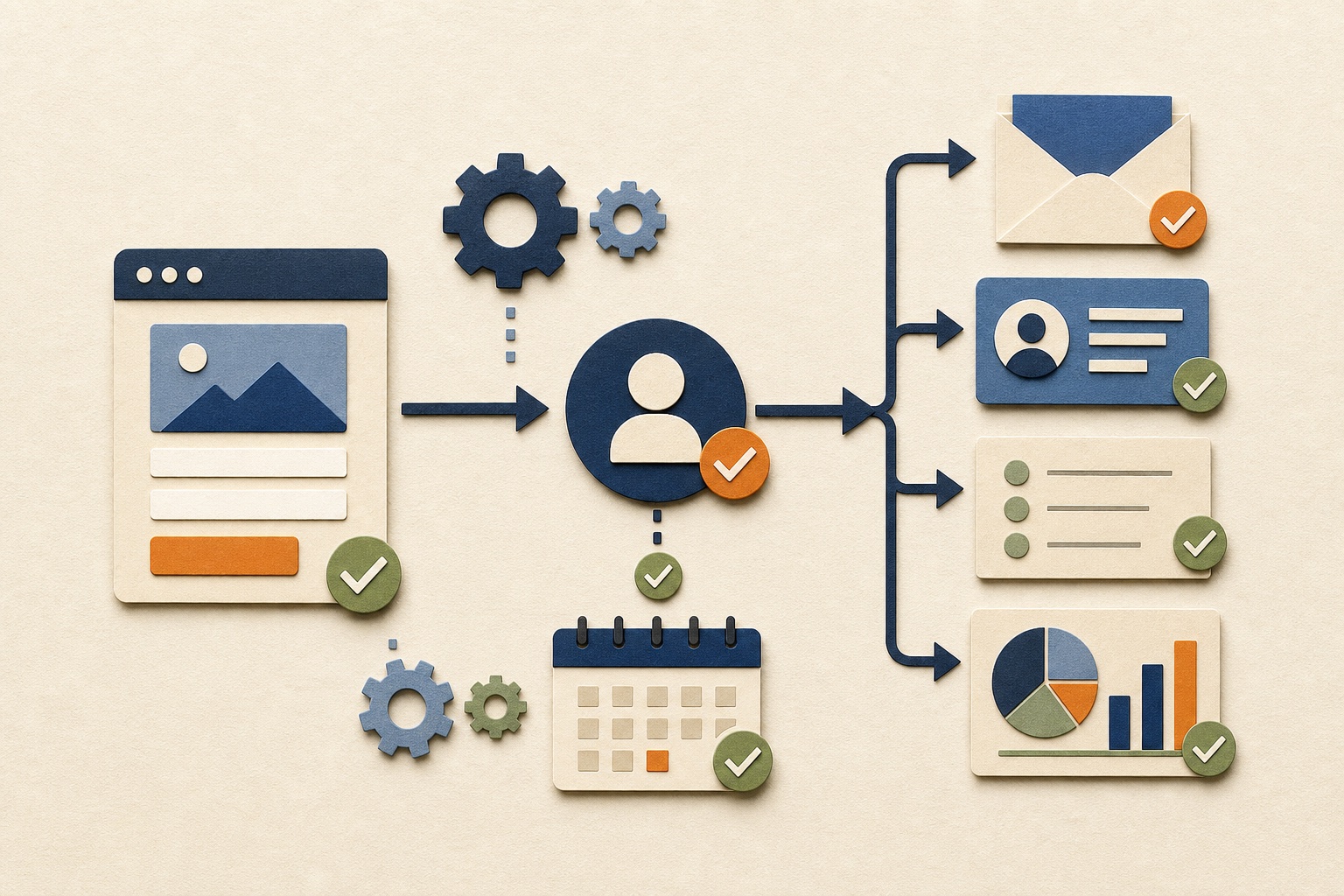
For many small businesses, the best first automation is lead intake and follow-up: capture an inquiry, place the information in one approved system, send a routine confirmation, alert the responsible person, and create a clear next task.
The short answer: automate the handoff after a customer action
The first useful automation is rarely an elaborate AI system. It is usually a small, dependable connection between something that already happens and the next steps employees repeat manually.
A website inquiry is a strong example. Without automation, someone may copy the message into a spreadsheet or CRM, send a confirmation, notify a coworker, create a reminder, and hope the request is not forgotten. A controlled workflow can handle those routine steps immediately while leaving qualification, pricing, advice, and the personalized response to a person.
Automate movement, reminders, and organization before automating judgment.
This pattern can also begin with an appointment booking, completed purchase, signed form, support request, uploaded document, or status change. The best starting point depends on where delay, duplication, or missed work currently harms the business.
A good first automation is:
- Repeated often enough to create a real burden
- Stable enough that the steps can be explained
- Low enough in risk to test safely
- Measurable through a visible business outcome
- Owned by someone who can review exceptions
- Recoverable through a documented manual process
Use an automation readiness test before choosing a tool
A frustrating task is not automatically ready for automation. Score the process itself before comparing platforms, connectors, or AI products.
| Readiness question | Strong signal | Warning sign |
|---|---|---|
| How often does it happen? | Daily, weekly, or at meaningful volume | Rarely enough that maintenance may exceed the savings |
| Are the steps stable? | The team can describe the trigger, rules, actions, and finish | Every person handles it differently or the process changes constantly |
| Is the input dependable? | Required fields, formats, and source systems are known | Important information is frequently missing, contradictory, or informal |
| Are exceptions understood? | Common exceptions have a route to a person | Exceptions are more common than the normal path |
| Can success be measured? | The correct record, task, message, or status can be verified | The only measure is that the automation platform says it ran |
| Can failure be contained? | The workflow can alert, pause, retry safely, or fall back manually | A mistake could silently create commitments, charges, exposure, or lost data |
| Does it have an owner? | One person reviews failures, access, and changes | Everyone assumes the software will manage itself |
If the warning column describes the current process, simplify it first. Agree on the steps, clean the source data, define required fields, and assign ownership. Automation magnifies whatever process it receives—including confusion.
Six practical first automations for a small business
1. Lead capture, routing, and follow-up tasks
Save form submissions in one place, label the service or source, notify the correct owner, acknowledge receipt, and create a follow-up deadline. Keep qualification and personalized outreach human-controlled. This is usually the strongest first candidate because missed or delayed leads directly affect revenue.
2. Appointment confirmations and reminders
After a customer books, send approved details, create internal preparation steps, remind the customer at an appropriate time, and alert someone when a cancellation or unusual response requires attention.
3. Customer onboarding checklists
When a customer reaches an approved stage, create a project, assign standard tasks, request required information, organize files, and make stalled steps visible. Do not automatically promise dates or scope that a person has not approved.
4. Routine task creation and status notifications
Turn predictable events into assigned tasks rather than relying on memory. Examples include preparing for an appointment, reviewing an order exception, following up on an estimate, or checking a document after it arrives.
5. Recurring reporting collection
Gather approved numbers into a recurring report, flag missing data, and notify the owner when a defined threshold changes. Begin with structured source data and keep interpretation separate from collection.
6. Ecommerce exception alerts
Notify the appropriate person about high-risk orders, failed fulfillment steps, delayed shipments, low inventory, returns, or customer replies. Automating the alert is often safer than automating the final decision.
The order should follow the business problem. A company losing inquiries should start with leads; a scheduling-heavy business may gain more from appointment workflows; a product company may need order and fulfillment visibility first.
Example: a controlled lead-intake workflow
A useful first version can remain small. It does not need a complicated scoring model, dozens of branches, or AI-generated sales messages.
| Step | Automated action | Human responsibility |
|---|---|---|
| 1. Inquiry arrives | Validate required fields and record the original submission | Maintain the form and approve what information is collected |
| 2. Record is created | Add or update the contact in the approved CRM or lead tracker | Resolve duplicates or unusual records |
| 3. Receipt is confirmed | Send a short approved acknowledgement without promises | Write and approve the message and contact expectations |
| 4. Owner is notified | Route by service, location, or another dependable field | Review the context and decide whether the request is a fit |
| 5. Follow-up is scheduled | Create a task with a due date and source link | Complete the outreach and record the outcome |
| 6. Exceptions are surfaced | Alert when data is missing, routing fails, or the task becomes overdue | Correct the record, recover the lead, and improve the workflow |
This flow improves speed and consistency without pretending software can understand every business request. It also creates the measurement needed to improve later: inquiry volume, acknowledgement delivery, owner assignment, response time, overdue tasks, and outcomes.
Businesses that need the systems around this workflow can review our CRM and lead management service and email marketing support.
Use predictable rules before adding AI
Rule-based automation follows defined conditions. When a form selects a known service, assign a specific owner. When an appointment is booked, create a preparation task. When a record reaches an approved status, send the corresponding template. For AI-enabled workflows, NIST's voluntary AI Risk Management Framework provides a broader structure for governing, mapping, measuring, and managing risk.
These actions are easier to test because the expected result is known. They still need validation, access controls, error handling, and maintenance, but the workflow does not need to interpret open-ended information.
AI can help when interpretation creates real value
An AI-assisted step might summarize a long inquiry, extract fields from a document, classify a support request, compare content against a checklist, or prepare a first draft for review. Its output can vary even when the input looks similar.
| Need | Prefer | Reason |
|---|---|---|
| Move a known field | Rule or direct integration | The source and destination are explicit |
| Send an approved confirmation | Template plus rule | The message should remain consistent |
| Assign from a dropdown | Rule | No interpretation is required |
| Summarize a long inquiry | AI assistance with access to the original | A draft summary can save review time without replacing the source |
| Classify open-ended text | AI assistance plus fallback | Variable language may need interpretation and confidence checks |
| Commit to a price or outcome | Human approval | The consequence of an incorrect decision is too high |
If a field, formula, dropdown, template, or normal rule solves the problem, use it. AI should be added because the task needs constrained interpretation—not because the technology is fashionable.
Design the first workflow before building it
A reliable automation can be written as a simple chain: trigger, validation, rules, actions, exceptions, owner, and finish. If those pieces cannot be explained, the workflow is not ready for software.
Write down:
- Trigger: the exact event that starts the workflow
- Required input: fields and formats that must be present
- Rules: the conditions determining each route
- Actions: records, tasks, messages, files, or updates created
- Approval: where a person must review before continuing
- Exceptions: missing data, duplicates, unusual values, and failures
- Owner: who receives alerts and decides what happens next
- Finish: the business result proving the workflow succeeded
- Fallback: how the work continues manually when automation stops
Give the workflow the least access it needs
Connecting tools can allow one account to read or change information across several systems. Use business-controlled accounts where possible, limit permissions, minimize the fields being transferred, protect credentials, and document which systems receive the data. CISA recommends applying the principle of least privilege and disabling access for departing staff.
Test real scenarios, not only the happy path
Test valid input, missing fields, duplicate submissions, delayed services, expired access, repeated triggers, unexpected replies, and partial failures. Confirm the final record, task, message, or status—not merely a green indicator in the automation tool.
Measure whether the automation is worth owning
Time saved matters, but it is not the only value. A lead workflow may also reduce missed inquiries, improve response speed, create clearer ownership, and preserve a more complete history.
| Measure | Before automation | After launch |
|---|---|---|
| Manual effort | Minutes spent copying, routing, reminding, or compiling | Minutes still required for review and exceptions |
| Speed | Time from trigger to acknowledgement or assignment | Typical and worst-case processing time |
| Completion | Missed, late, or incomplete steps | Completion and overdue rates |
| Quality | Duplicate, inconsistent, or incomplete records | Validation failures and corrections |
| Reliability | Known manual failure patterns | Automation errors, retries, missed events, and recovery time |
| Cost | Employee time and business impact | Build, software, usage, maintenance, review, and failure costs |
Review the measures after a defined trial period. If the workflow saves seconds but requires hours of maintenance, it may not be valuable. If it saves a lead from being forgotten, the benefit may be much larger than the time calculation alone suggests.
What a small business should not automate first
Do not begin with the process that sounds most impressive. Avoid workflows that are unstable, poorly understood, dominated by exceptions, dependent on unreliable data, or capable of causing serious harm without review. The NIST AI RMF Core specifically calls for defined roles, responsibilities, oversight, documented scope, and ongoing risk management.
Keep accountable human control when a workflow could:
- Promise a price, deadline, refund, contract term, or business commitment
- Approve or reject eligibility, employment, credit, access, or another consequential outcome
- Send sensitive, emotional, legal, medical, financial, or safety-related communication
- Move money, place orders, issue refunds, or alter billing
- Delete, overwrite, merge, expose, or transfer important information
- Publish factual claims that require specialized expertise
- Contact people in a way they did not expect or authorize
- Take an irreversible action without a dependable recovery process
Automation can still prepare information, create a draft, organize the review queue, or alert the decision-maker. The goal is not to remove every person—it is to use human attention where judgment and accountability matter.
A practical 30-day plan for the first automation
Week 1: observe and document
Choose one repeated process. Record each step, owner, system, input, delay, exception, and final outcome. Measure the current volume and effort rather than relying on memory.
Week 2: simplify and define
Remove unnecessary steps, agree on required fields, create approved templates, assign ownership, and decide what must remain manual. Define success and the acceptable risk level.
Week 3: build and test privately
Create the smallest complete workflow. Test ordinary cases and failures with controlled data. Verify permissions, alerts, duplicate handling, manual fallback, and the final business result.
Week 4: launch narrowly and review
Activate the workflow for a limited scope, monitor every run, compare it with the previous process, correct issues, and document the final system. Expand only after the first path is dependable.
A small automation that the business understands and maintains is more valuable than a complex system nobody trusts.
Connected workflows should also be included in recurring operational checks. Use our monthly digital maintenance checklist to establish ownership for access, testing, costs, and changes.
Frequently asked questions
Small-business automation FAQ
What should a small business automate first?
For many businesses, start with lead intake and follow-up: record the inquiry, acknowledge receipt, notify the owner, and create the next task. If leads are not the main bottleneck, use the same criteria to evaluate appointments, onboarding, recurring tasks, reporting, or ecommerce exceptions.
How do I know whether a process is ready?
It should be frequent, stable, explainable, measurable, supported by dependable data, assigned to an owner, and safe to recover manually. If the process changes constantly, simplify it before automating it.
Does the first automation need AI?
Usually not. Predictable rules are easier to test and maintain. Use AI when the workflow genuinely needs drafting, summarization, extraction, classification, or another constrained form of interpretation.
Can automation send customer emails?
Approved confirmations, reminders, and routine status messages can be appropriate. Personalized advice, sensitive communication, pricing, commitments, and unusual situations should remain subject to accountable review.
How should failures be handled?
The workflow should validate input, protect against duplicates, record useful errors, alert a named owner, retry only when safe, preserve manual fallback, and document how partial or incorrect actions are corrected.
Who maintains the workflow?
A named business owner should understand it, review failures, manage access, approve changes, and know how to pause it. Technical maintenance may be handled internally or through support, but accountability remains with the business.
Begin with one painful, repeatable process
Tell us where information gets stuck or routine work gets missed.
Overtime Innovations can map the current steps, identify a practical first workflow, and build automation with clear rules, human oversight, testing, and recovery.