
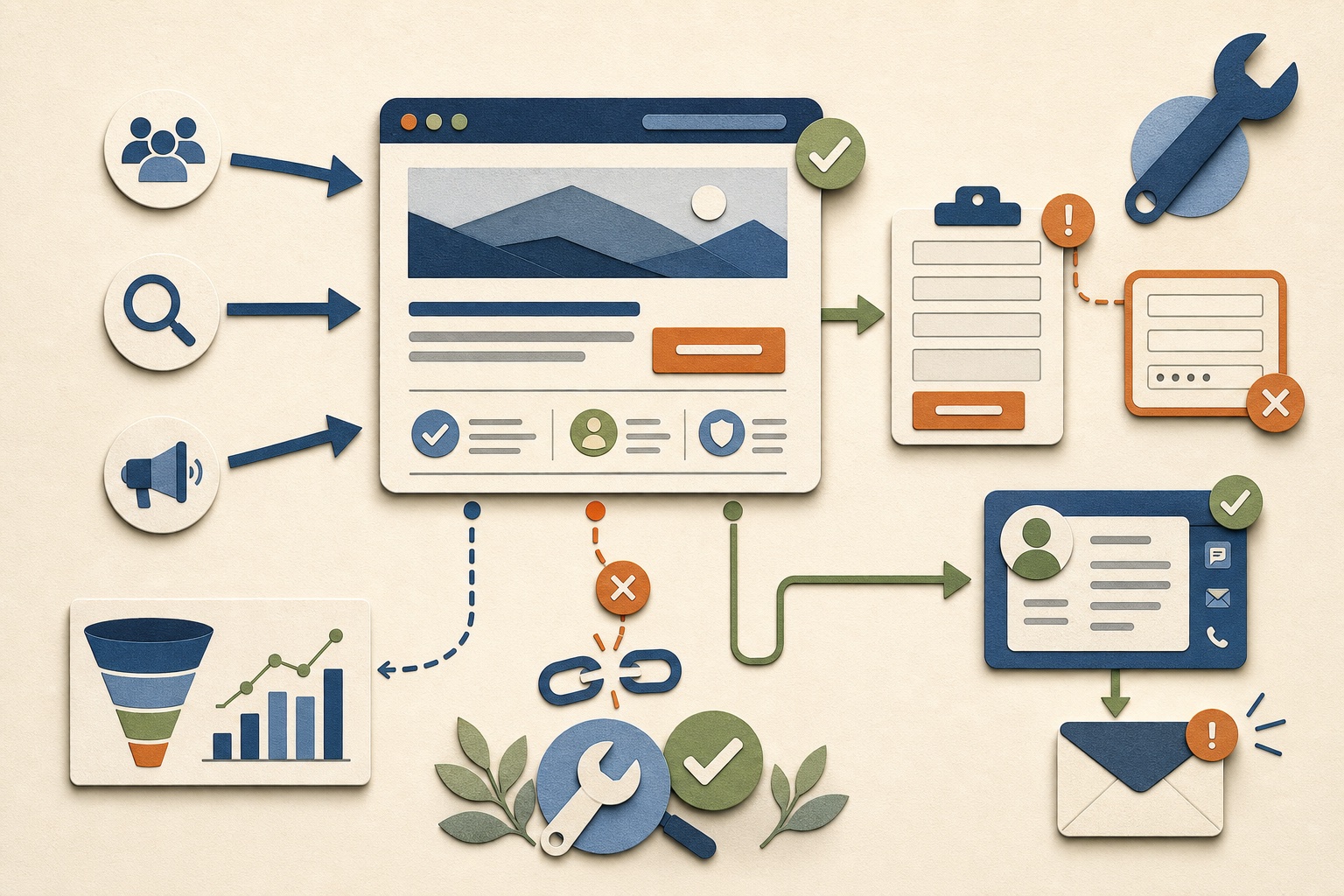
A website can fail to generate leads because the right people never reach it, visitors do not understand or trust the offer, taking action is difficult, submissions are not delivered, or the business responds too slowly. The first job is to identify which stage is failing.
The short answer: a lead is the result of a connected system
A lead-generating website is not only a collection of attractive pages. It is a path that connects customer intent to a business response.
The visitor must discover a relevant page, recognize that the business addresses the need, understand the offer, trust the company enough to continue, find an appropriate next step, complete it successfully, and receive timely follow-up. A failure at any stage can make the website appear ineffective.
Do not redesign the website until you know whether the problem is discovery, conversion, delivery, follow-up, or measurement.
Start with five checks
- Are relevant prospective customers reaching the site?
- Can they quickly understand who the business helps and what it provides?
- Does the page provide enough reason to trust the business?
- Can the visitor take the correct action without confusion or unnecessary friction?
- Does every successful action reach a responsible person and receive follow-up?
Find the failing stage before choosing a fix
| Observed problem | Likely area to investigate | Do not assume |
|---|---|---|
| Very little relevant traffic | Search visibility, local presence, referrals, distribution, demand, targeting, and indexability | That changing the contact button will create visitors |
| Traffic reaches the homepage but not service pages | Navigation, homepage clarity, internal links, audience mismatch, and page hierarchy | That all homepage visits represent real prospects |
| Relevant service pages receive visits but few actions | Offer clarity, trust, proof, calls to action, friction, price expectations, and fit | That more traffic alone will solve conversion |
| Forms are started but not completed | Field burden, confusing questions, errors, mobile usability, privacy concerns, and technical failures | That every abandonment reflects low intent |
| Submissions occur but staff sees few leads | Email delivery, spam, recipient configuration, CRM sync, routing, notifications, and duplicates | That the website form is working because a success message appeared |
| Leads arrive but rarely become customers | Traffic quality, qualification, offer fit, response speed, sales process, pricing, capacity, and lead handling | That the website alone controls the sale |
| Reports show no conversions | Tracking configuration, event testing, consent, cross-domain steps, call attribution, and data definitions | That no leads occurred |
Several stages may fail together. A site can attract the wrong audience, provide weak service detail, and lose completed inquiries to an unmonitored mailbox. Diagnose the chain rather than searching for one universal explanation. Use the small-business services page guide when the offer, scope, proof, service area, or next step is unclear.
Problem 1: the site is not attracting enough relevant visitors
Traffic volume is not the same as opportunity. A hundred visitors looking for unrelated information may be less valuable than ten people actively searching for the exact service in the correct area.
Check which pages and sources attract visitors
Separate direct, organic search, referral, social, email, and other sources where the available measurement supports it. Google's Search Console Performance guidance explains how to evaluate queries, pages, clicks, impressions, and changes over time. Review the landing page—the first page of the visit—not only the total page count. A resource article may attract early research, while a service page may attract a smaller but more commercially relevant audience.
Look for intent alignment
A page should answer the need implied by the search, link, or recommendation that brought the visitor. If someone searches for a local service and reaches a generic national homepage, the page may not provide enough location, availability, service, or next-step context.
Confirm the site can be discovered
Check indexability, canonical URLs, sitemap submission, internal links, page titles, headings, mobile access, and whether important pages are blocked, duplicated, orphaned, or missing. Search visibility also depends on competition, reputation, useful content, and independent signals beyond the site.
Traffic diagnosis questions
- Which pages receive search impressions and visits?
- Which search themes or referrals bring relevant prospects?
- Do service and location pages exist for real customer needs?
- Are visitors inside the business's service area?
- Do resources lead readers toward relevant service information?
- Are there credible external profiles, mentions, and links?
Problem 2: visitors cannot quickly understand the business
A visitor should not have to interpret vague slogans to determine whether the company provides the needed service. The page should make the audience, problem, offer, location or availability, and next step clear.
Generic language hides the offer
Phrases such as “unlock your potential,” “innovative solutions,” or “quality service” may sound positive without telling the customer what the business actually does. Replace unsupported generalities with specific services, situations, outcomes, and process information.
The homepage cannot carry every decision
Each important service deserves enough detail to answer its own questions: who it fits, what is included, what the process looks like, what information is needed, what limitations apply, and how to continue. Sending every visitor from a vague homepage directly to a generic contact form creates avoidable uncertainty.
The offer may not fit the visitor
Clear messaging can reveal a business issue rather than a page issue. If the service, price range, availability, delivery method, geography, or differentiation does not fit the market, design changes cannot manufacture demand. Website evidence should be considered alongside customer conversations and sales feedback.
Problem 3: the website does not provide enough trust
Before contacting an unfamiliar business, visitors look for evidence that it is real, capable, appropriate, and safe to engage. The required proof depends on the service and the consequence of making the wrong choice.
| Trust question | Useful website evidence |
|---|---|
| Is this a real business? | Consistent company name, contact information, service area, policies, secure connection, and active business-controlled profiles |
| Does it understand my situation? | Specific service pages, FAQs, examples, process explanations, and useful resources |
| Can it perform the work? | Relevant case studies, portfolio evidence, credentials where applicable, clear capabilities, and honest limitations |
| What happens after I contact it? | Response expectations, review process, next steps, required information, and preferred communication method |
| Will my information be handled appropriately? | Privacy information, sensible form questions, secure tools, and no request for unnecessary sensitive data |
| Is this the right fit? | Who the service helps, eligibility, geography, scope boundaries, and enough cost or engagement context to self-qualify |
Do not invent testimonials, customer logos, client results, certifications, awards, locations, or team size. Honest evidence from the work that actually exists is stronger than manufactured social proof. A newer business can explain its process, show its own products, publish useful expertise, and be transparent about what it can and cannot do.
Problem 4: the next step is unclear or poorly matched
“Contact us” is sometimes sufficient, but it often leaves important questions unanswered. Contact for what? What information should the visitor prepare? Will the business call immediately, send an email, review the request first, or provide a quote?
Match the action to the buying stage
- Early research: read a guide, compare options, view examples, or understand the process
- Problem-aware: explore a detailed service, eligibility, scope, or FAQ page
- Ready to discuss: submit a structured request, call, email, book, or apply
- Ready to purchase: select an offer, provide required information, and complete an appropriate checkout
Not every visitor should be forced into a sales call. A structured form can qualify the request and allow the business to investigate before responding—as long as the form explains what happens next.
Use one primary action per section
A page can offer several contact methods, but every block should have a clear priority. Competing buttons for calling, booking, subscribing, downloading, chatting, applying, and purchasing can make the visitor postpone all of them.
A strong call to action explains:
- The action the visitor is taking
- The information or commitment required
- What the business will do with the request
- The expected communication method
- Any important eligibility or availability condition
- A useful alternative for visitors who are not ready
Problem 5: the mobile or page experience creates friction
A visitor may understand and trust the offer but still leave when the page is difficult to use. Test the actual device experience rather than only resizing a desktop browser during design. Google's page-experience guidance recommends looking beyond a single score to mobile display, secure delivery, Core Web Vitals, intrusive interruptions, and overall usability.
Common experience problems
- Text is too small, crowded, or low contrast
- Navigation wraps unpredictably or hides important pages
- Buttons and form controls are difficult to tap
- Large images, scripts, fonts, or third-party tools delay the useful content
- Popups obscure the page or compete with the primary action
- Phone numbers, email addresses, maps, or booking links do not work as expected
- Form errors are unclear or erase entered information
- Keyboard, screen-reader, zoom, or motion needs are not considered
- The page shifts while loading or important content appears too late
Performance and accessibility are not separate from conversion. A site that excludes, delays, or frustrates visitors reduces the number who can understand and complete the intended action.
Problem 6: the form is difficult, broken, or delivering leads incorrectly
A form can display a success message while failing elsewhere. The email may be rejected, routed to spam, sent to an old address, omitted from the CRM, or delivered without enough context for follow-up.
Ask only for information with an immediate purpose
There is no universal ideal number of fields. W3C's forms guidance recommends simple, short forms with clear labels, instructions, validation, and submission feedback. A simple inquiry may need a name, reliable contact method, service, location, and short description. A serious application may justify more detail when the questions help determine eligibility, scope, priority, or preparation.
Remove fields collected “just in case.” Explain questions that could cause hesitation, especially budget, sensitive context, documents, or personal information. Do not send passwords, payment details, medical information, or other unnecessary sensitive content through a general contact form.
Test the complete delivery path
Form test checklist
- Submit from desktop and mobile using valid test information
- Trigger each required-field and validation error
- Confirm the success page or message appears only after real acceptance
- Verify the destination mailbox, spam handling, reply-to address, and message formatting
- Confirm CRM records, source labels, notifications, and tasks where connected
- Test duplicate submissions and repeated button presses
- Check what happens when the email or integration service fails
- Retest after hosting, form, domain, mailbox, CRM, or security changes
The business should also have an alternate contact route when the primary form is unavailable.
Problem 7: the site lacks local and search relevance
A small business serving particular locations must make that reality clear to customers and search systems. A city name in the footer is not a complete local-search strategy.
Useful local relevance can include:
- Accurate business name, contact methods, service area, and hours where applicable
- Service pages that explain what is actually available
- Location or service-area content only where the business genuinely operates
- Consistent business information across eligible profiles and reputable directories
- Original photos, examples, policies, FAQs, and local operating details
- Reviews and reputation practices that follow platform policies
- Structured data that accurately represents the organization and services
- Content answering the real questions local prospects ask before contacting
Do not create dozens of near-duplicate city pages with only the location name changed. Each indexable page should provide distinct, useful information and reflect a real service relationship.
Businesses can review our SEO and local search service for the connected work across pages, business information, measurement, content, and maintenance.
Problem 8: the website generated the lead, but the business lost it afterward
The website does not control whether someone reads the message, responds promptly, asks useful questions, records the outcome, or follows up again. A technically successful form submission is not a completed business result.
Build an accountable lead-handling path
| Lead stage | Minimum responsibility |
|---|---|
| Capture | Preserve the original request and reliable contact information |
| Acknowledge | Confirm receipt without making an unreviewed promise |
| Assign | Give the lead to a named owner |
| Review | Assess service, geography, urgency, budget, capacity, and fit |
| Respond | Use the expected contact method and record the attempt |
| Advance | Create the next task, appointment, estimate, proposal, or decline |
| Measure | Record qualification, outcome, loss reason, and timing |
Routine acknowledgements, routing, and tasks can be automated while qualification and personalized communication remain human-controlled. Read What Should a Small Business Automate First? for a complete example.
Our CRM and lead management service connects intake, ownership, follow-up, status, and reporting instead of treating the form as the finish line.
Problem 9: the business cannot see what is working
Without reliable measurement, owners may attribute every problem to the website design. Analytics should show enough of the path to distinguish discovery, page engagement, completed actions, and business outcomes. Google Analytics documents recommended events including lead-generation events, but the business still needs consistent definitions and testing.
Track the smallest useful set
- Relevant landing-page visits by source where observable
- Visits to important service, location, offer, and contact pages
- Phone-link clicks, form starts where useful, successful submissions, and booking completions
- Lead type or service requested
- Technical errors and failed integrations
- Time to first responsible response
- Qualified versus unqualified requests
- Appointments, estimates, proposals, customers, and useful loss reasons
Website analytics cannot observe every call, device, private referral, offline conversation, or future sale. Attribution is incomplete by nature. Combine website evidence with CRM history, call records, booking data, customer questions, and sales feedback.
Do not place sensitive form content in general analytics
Track the successful event and safe categories needed for reporting. Avoid sending names, email addresses, phone numbers, free-text messages, passwords, payment information, or other unnecessary personal and sensitive information into general-purpose analytics tools.
Our analytics and reporting service focuses on definitions, data quality, funnels, outcomes, privacy, and decisions—not dashboard volume.
A page-by-page lead-generation audit
Homepage
- Can a new visitor identify the audience, services, availability, and primary next step?
- Does the page route distinct needs to the right service or offer pages?
- Are claims supported by honest evidence?
Service pages
- Does each page explain the problem, audience, outcome, process, scope, limitations, and next step?
- Does it answer the questions a prospect needs before contacting?
- Is the call to action matched to that service?
About and work pages
- Do they establish a real company, relevant experience, approach, and evidence without inventing client history?
- Can visitors connect the examples to the service they need?
Resource articles
- Do they answer real questions fully and link naturally to related services?
- Can a reader continue from education to evaluation without a hard sales interruption?
Contact or application pages
- Does the page explain who should submit, what information is needed, and what happens next?
- Are alternate contact options and privacy information available?
- Has the complete delivery and follow-up path been tested?
Confirmation pages
- Do they confirm successful receipt without exposing submitted information?
- Do they explain the next step and provide a useful route back to the site?
- Does conversion tracking fire only after a real successful submission?
A practical 30-day website lead repair plan
Week 1: verify the system
Test calls, forms, booking, confirmation pages, email delivery, CRM records, notifications, analytics events, and follow-up ownership. Repair lost leads before changing visual design.
Week 2: review traffic and intent
Identify important landing pages, sources, search themes, service areas, and audience mismatches. Confirm that the right service and location pages exist and can be discovered.
Week 3: improve one complete path
Choose one priority service. Clarify its message, add necessary proof and FAQs, strengthen the call to action, reduce form friction, and make the next step explicit.
Week 4: connect follow-up and measurement
Assign lead ownership, create response tasks, record qualification and outcomes, and build a short recurring review. Compare the complete result rather than celebrating button clicks alone.
Improve one measurable customer path from discovery through response before making broad changes across every page.
If the existing structure or technology prevents these improvements, then a focused redesign or rebuild may be justified. Review our website design and development service and the small-business website cost guide when evaluating that decision.
Frequently asked questions
Website lead-generation FAQ
Why is my website not generating leads?
The failure is normally in relevant traffic, message, trust, action, usability, form delivery, follow-up, measurement, or several stages together. Test each part before assuming the design is the only problem.
How can I tell whether I need more traffic?
Review whether relevant prospects reach the correct service and location pages. Very little qualified traffic suggests a discovery problem. Meaningful relevant traffic with few actions suggests conversion, offer, trust, or usability deserves closer review.
How many fields should the contact form have?
Ask only for information with an immediate purpose. The right length depends on whether the form is a simple inquiry, estimate request, booking, application, or complex intake. Explain sensitive or qualifying questions and remove unnecessary friction.
What should I track?
Track relevant landing visits, important actions, successful submissions, lead type, source where observable, response time, qualification, outcomes, and failures. Avoid sending personal or sensitive form content into general analytics.
How quickly should leads receive a response?
Set a realistic expectation the business can consistently meet rather than publishing an unsupported promise. Immediate automated acknowledgement can confirm receipt, while a named person reviews and provides the appropriate response.
Do I need a complete redesign?
Not necessarily. Repair tracking and delivery first, then improve the highest-priority customer path. Rebuild when the current platform, structure, performance, accessibility, ownership, or integrations prevent the necessary changes.
Repair the complete lead path
Tell us where visitors, inquiries, or follow-up are getting stuck.
Overtime Innovations can review the website, search path, forms, CRM, automation, analytics, and ongoing ownership before recommending a focused next step.