
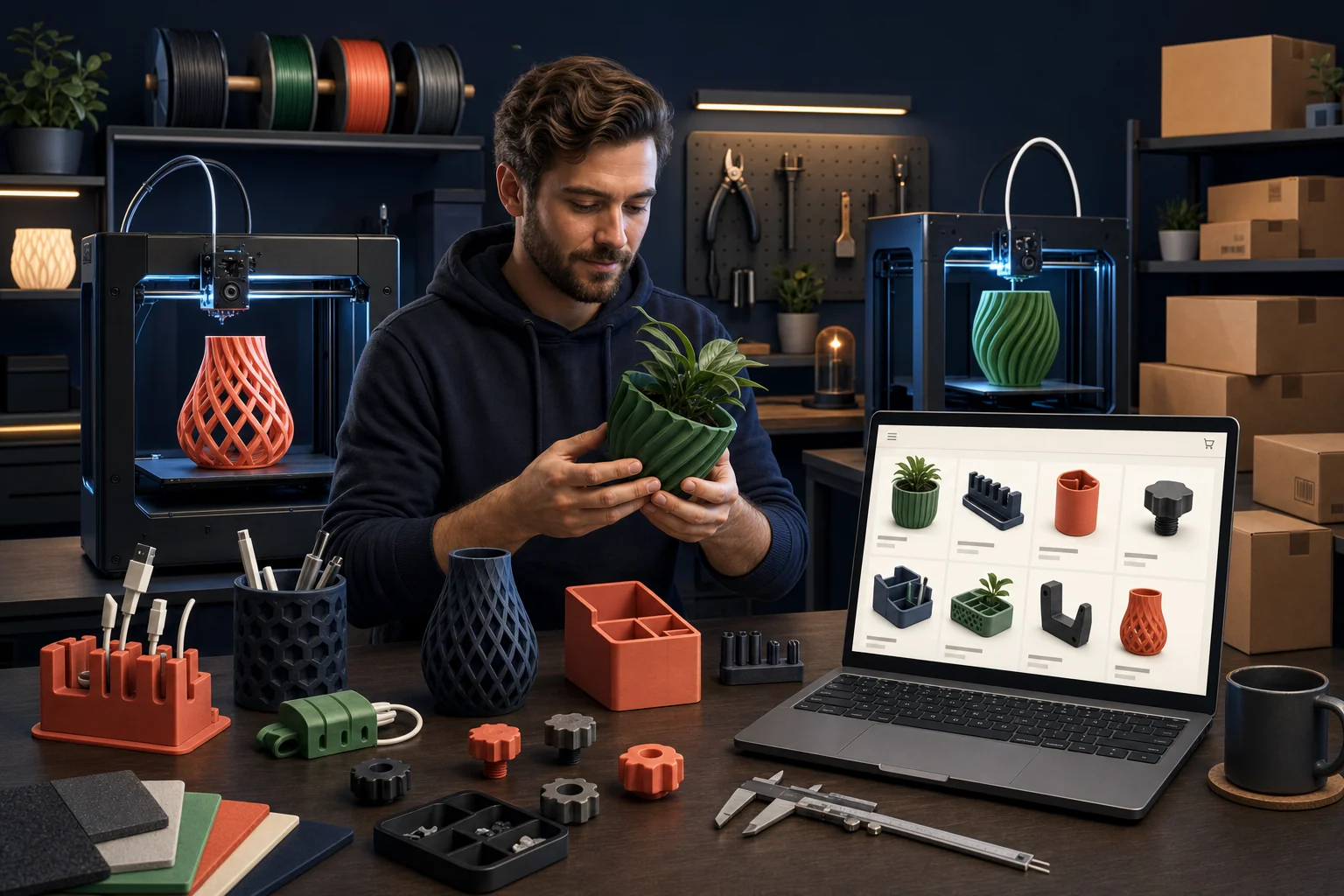
A useful online store for a 3D printing business must do more than display attractive prints. It should separate standard products from custom services, explain material and finish choices, collect only the options the shop can support, price the complete production job, set honest lead times, protect design rights, and connect every order to a repeatable printing and fulfillment workflow.
The short answer: sell what can be specified reliably
Shopify fits a 3D printing business best when a customer can understand the item, choose from defined options, see a dependable price, and complete checkout without an engineering conversation. Examples include original desk organizers, plant accessories, hobby storage, replacement knobs designed for specific applications, display stands, small tools, decorative products, and standardized made-to-order items.
Custom prototypes, reverse engineering, uncertain STL files, tolerance-critical components, unusual materials, large jobs, and business-to-business production may need a quote and file-review process before payment. Forcing every request through a normal product page can create unprofitable orders and disappointed customers.
Turn repeatable work into products. Route uncertain work through review and quotation.
1. Decide what kind of 3D printing business the store represents
| Business model | Customer buys | Best storefront pattern |
|---|---|---|
| Original product brand | Products designed and printed by the business | Standard product pages, collections, variants, cart, and checkout |
| Made-to-order catalog | Defined products produced after the order | Product pages with clear options, processing time, and production capacity |
| Custom printing service | Production from a customer-supplied or licensed file | File intake, printability review, quote, approval, and controlled payment workflow |
| Design and prototyping | Modeling, iteration, and physical prototypes | Service pages, project inquiry, technical requirements, consultation, and proposal |
| Replacement-part specialist | Clearly identified compatible parts or custom reproduction | Detailed compatibility content plus product or quote workflows |
| Digital model seller | Downloadable design files and licenses | Digital delivery, clear file formats, permitted uses, versioning, and support terms |
One business can use several models, but the website should not blend them into one confusing buying path. Label ready-to-buy products, made-to-order items, and custom quote work clearly.
2. Organize the catalog around customer needs
Customers rarely begin with “I need an FDM object printed in PLA.” They begin with a problem: organizing cables, replacing a broken knob, storing game pieces, mounting a tool, displaying a collectible, improving a workspace, or producing a prototype.
Build collections around useful buying categories, not only printer technology. Possible structures include desk and cable organization, workshop accessories, plant and home products, tabletop gaming storage, camera and electronics accessories, replacement parts, custom business fixtures, prototyping, and printing services.
Keep the first catalog focused
Begin with products that print consistently, survive shipping, have predictable post-processing, use controlled materials, and produce acceptable margin. A narrow niche with clear expertise is often stronger than a catalog of unrelated objects copied from popular model libraries.
If the business currently sells through marketplaces, use our marketplace-product migration guide to audit and clean the first Shopify catalog.
3. Give every product enough technical and practical information
Core product information
- What the product does and the problem it solves
- Exact dimensions, weight, included pieces, and assembly requirements
- Material and relevant material characteristics
- Color, size, finish, and configuration choices
- Compatible models, measurements, or use conditions where applicable
- Expected layer lines, seam placement, support marks, or handmade variation
- Production or processing time before shipment
- Care, temperature, sunlight, moisture, load, and use limitations
- Shipping method, packaging, returns, and custom-order restrictions
- Who designed the item and the commercial authorization to sell it
Do not describe a material with universal promises. Performance depends on the polymer, formulation, geometry, orientation, layer adhesion, printer calibration, post-processing, environment, and actual use.
4. Design material, color, size, and finish options carefully
A print shop can offer more combinations than it can profitably manage. Every color, material, size, finish, insert, hardware choice, and personalization field affects purchasing, inventory, production scheduling, quality control, and customer support.
Shopify's current variant documentation allows up to three native options and up to 2,048 variants per product. A simple product might use size, material, and color. Engraved text or notes that do not change the stocked variant may be collected through an appropriate line-item property, compatible application, or custom configuration.
Do not create every theoretical combination
Offer combinations the shop has tested and can reproduce. If a particular material does not work in one geometry, exclude it. If post-processing changes lead time or price, make that visible. If too many options make the page difficult to use, split the product into logical versions or move complex requests into a quote workflow.
5. Separate custom printing from standard checkout
A customer-uploaded file is not automatically ready to print. It may have non-manifold geometry, missing scale, unsupported features, walls that are too thin, orientation problems, unrealistic tolerances, risky use, licensing restrictions, or a requested material that does not fit the application.
A controlled custom-print workflow
- Customer describes the project, quantity, material needs, use, dimensions, deadline, and confidentiality requirements.
- The business receives files through an approved secure process.
- The shop checks printability, scale, geometry, licensing, risk, production time, post-processing, and shipping.
- The business asks questions and issues a written quote with assumptions and exclusions.
- The customer approves price, schedule, design version, material, finish, and terms.
- Payment is collected through an appropriate invoice, draft order, or configured product.
- The shop records production settings, quality checks, changes, and final approval.
A file-upload workflow normally needs a suitable app, custom form, or separate system. Define accepted formats, maximum file size, malware and security practices, retention, deletion, confidentiality, and whether files may be reused. Advanced file intake is outside a basic storefront build.
6. Price the complete production job
Filament weight is only one input. Sustainable pricing should account for:
- Material, supports, purge, waste, failed prints, and consumables
- Machine time, setup, warm-up, calibration, monitoring, and maintenance
- Design, slicing, file repair, test prints, and customer communication
- Post-processing, support removal, sanding, assembly, inserts, magnets, hardware, paint, or coating
- Quality control and remake allowance
- Packaging, shipping labor, carrier charges, loss, damage, and returns
- Marketplace or Shopify costs, payment processing, apps, discounts, and customer acquisition
- Commercial model licenses or royalties
- Rent, electricity, insurance, software, equipment replacement, taxes, professional advice, and profit
Create minimum charges for custom work so file review and setup are not given away on tiny jobs. Price rush service only when capacity can support it. Review profitability by product, printer, material, failure rate, and customer type.
7. Confirm the right to produce and sell every design
Access to an STL, 3MF, CAD file, image, character, logo, or product does not automatically create commercial rights. Before listing an item, document whether the business created the design, commissioned and acquired the necessary rights, obtained a current commercial license, or has another valid legal basis.
The U.S. Copyright Office explains that original visual works can be protected when created and fixed and that using someone else's artwork normally requires permission unless an exception applies. Its visual-art guidance also distinguishes the owner's rights to reproduce, adapt, distribute, and display the work. Trademarks, patents, and copyrights protect different things; the USPTO provides an IP toolkit for small businesses.
Keep a design-rights record
- Designer and source
- License version, purchase date, account, and receipt
- Commercial production limits and attribution requirements
- Whether modifications, bundles, digital distribution, or subcontracted printing are allowed
- Expiration, membership, royalty, or reporting obligations
- Relevant trademark, patent, and customer-supplied-content review
This is general planning information, not legal advice. Obtain qualified legal guidance for uncertain designs, fan art, branded replacement parts, patents, safety-critical uses, or licensing disputes.
Marketplace eligibility is separate
If products remain on Etsy, review its current rules. Etsy's seller guidance currently says items made with computerized tools such as 3D printers must meet its applicable creativity and listing requirements. Shopify does not make a product lawful or eligible merely because the store can publish it.
8. Show the physical print honestly
Renderings are useful during design, but customers need photographs of the finished item they will receive. Show layer texture, scale, connection points, hardware, underside, color variation, fit, packaging, and the product in use.
Useful media sequence
- Clear primary photograph of the finished product
- Multiple angles and important details
- Object in hand or beside a familiar item for scale
- Dimensions or compatibility diagram
- Color and material samples photographed consistently
- Short demonstration or assembly video
- Close-up of expected surface texture and finish
- Packaging and included components
Shopify currently supports images, videos, and 3D models as product media when the theme and files meet its requirements. Its product-media documentation notes that 3D models can be displayed in supported themes, although videos and 3D models cannot serve as variant-specific media. Use interactive models to clarify the object—not to conceal the appearance of the actual print.
9. Connect orders to real production capacity
Made-to-order availability should reflect printer capacity, job length, material changes, maintenance, failure rate, post-processing, staffing, and existing commitments. Ten units do not always require ten times one unit's lead time, but a full queue can quickly make a short promise inaccurate.
Define the internal order record
For every order, record the approved model version, slicer profile, material brand and color, printer, orientation, supports, infill, walls, nozzle, layer height, hardware, post-processing, quality checks, packaging, and operator notes needed for repeatability.
Publish processing time separately from carrier transit time. Build capacity buffers around maintenance and reprints. If demand exceeds capacity, adjust availability, extend honest lead times, use preorders appropriately, or pause products instead of accumulating late orders.
10. Design packaging and policies around printed products
Test packaging using the actual product. Thin features, tall decorative parts, snap fits, threaded components, glued assemblies, and heat-sensitive materials may fail during pressure, vibration, drops, or temperature exposure.
- Use product dimensions and packed weight—not slicer estimates—for shipping configuration.
- Protect delicate directions and prevent parts from moving inside the package.
- Include assembly, care, fit, and safety instructions when needed.
- Define what counts as a defect versus expected layer or color variation.
- Explain returns and remakes for personalized, customer-supplied, and made-to-order products.
- Document damage with packaging and product photos so the shop can improve the process.
- Do not promise a shipping date the production queue cannot support.
11. Avoid unsupported performance and safety claims
Be especially cautious with food-contact, child-use, medical, electrical, automotive, structural, load-bearing, high-temperature, pressurized, protective, or regulated applications. A material name or successful home test does not establish legal compliance or fitness for every use.
Identify the intended use, foreseeable misuse, material documentation, testing, warnings, traceability, and insurance or professional guidance appropriate to the product. Do not claim “food safe,” “medical grade,” “child safe,” “unbreakable,” “heatproof,” “certified,” or a guaranteed load without reliable evidence and an applicable basis.
The business remains responsible for product safety, recalls, warnings, intellectual property, taxes, privacy, and other legal obligations. Shopify and Overtime Innovations do not approve the underlying product.
12. Build marketing around a real niche
A general page offering “anything you can imagine” is difficult to find and trust. A focused shop can publish useful pages around the people and problems it understands.
Useful content examples
- Measurement guides for compatible replacement parts
- PLA, PETG, ABS, ASA, resin, and other material comparisons limited to the shop's actual capabilities
- How to prepare a file for a custom quote
- Product care, assembly, and installation guides
- Behind-the-scenes design and quality-control processes
- Case studies showing a business problem and the custom printed solution
- Buying guides for one specific hobby, trade, workspace, or equipment ecosystem
The best niche is one the business can support with original designs, credible experience, repeatable production, and customers it knows how to reach. Search visibility and social content can bring qualified visitors, but Shopify does not create traffic automatically.
A 3D printing store launch checklist
- Choose the primary business model and niche
- Select up to ten repeatable, profitable launch products
- Document design ownership and commercial licenses
- Standardize SKUs, materials, colors, sizes, finishes, and production records
- Calculate price using complete production and operating costs
- Photograph actual finished prints
- Write dimensions, material details, limitations, processing times, care, and compatibility
- Create a separate custom-service intake and quote process if needed
- Configure payments, shipping, taxes, policies, notifications, analytics, and domain access
- Test each option, checkout, production ticket, customer email, package, and fulfillment step
- Confirm the first traffic source and launch capacity
Use our complete Shopify launch checklist for the broader store, payment, domain, policy, and post-launch review.
What our free Shopify build can cover for a 3D printing business
Overtime Innovations offers one separate new Shopify client-transfer store at no build fee for accepted US small businesses. A focused 3D printing product catalog can fit when the products and options are already defined and the business supplies accurate source information and original assets.
| Included in the standard offer | Outside the standard free scope |
|---|---|
| One new Shopify client-transfer store | Editing or migrating an existing Shopify store |
| Up to 10 defined products and 3 collections with reasonable variants | A large catalog, advanced configurator, automated pricing engine, or complex option logic |
| Basic launch copy and graphics using supplied business information and assets | 3D modeling, engineering, product testing, certification, legal review, or professional photography |
| Typical delivery in 10–15 business days after required materials are ready | Guaranteed timing while products, decisions, assets, access, feedback, or approvals are incomplete |
| Typically up to 3 consolidated revision rounds | Unlimited revisions or ongoing redesign |
| 14 days of email-only support beginning on Day 0 | Advanced file uploads, quoting systems, marketplace sync, production automation, or ongoing store management |
The business pays Shopify, domain, paid apps or themes, payment processing, materials, printers, software, shipping, taxes, insurance, professional advice, and every other third-party or operating expense. Review the full free Shopify store launch scope before applying.
Frequently asked questions
Is Shopify good for a 3D printing business?
Yes, when the business sells defined products or standardized made-to-order options. Complex custom work may require a separate file-review and quote workflow.
Can customers upload STL or 3D files?
A suitable application, custom form, or separate intake system is normally required. File type, size, security, confidentiality, retention, licensing, and printability must be addressed.
How should 3D-printed products be priced?
Include material, machine time, setup, failures, labor, post-processing, hardware, packaging, fees, licensing, overhead, customer acquisition, shipping support, and profit.
How many options can one Shopify product have?
Shopify currently supports up to three native options and 2,048 variants per product. More complex input may require a different product structure, app, line-item properties, or custom work.
Can I sell prints from someone else's model?
Only with sufficient commercial permission or another valid legal basis, after considering all relevant copyright, trademark, patent, contract, and marketplace requirements.
Can Overtime Innovations build the store for free?
The standard offer covers a separate new store with up to ten defined products and three collections. Advanced configurators, file intake, automated quoting, complex integrations, or work in an existing Shopify store are not included by default.
Build around repeatable expertise
The strongest 3D printing stores do not promise to print everything. They clearly show what the shop designs or produces well, which customers it serves, how options affect the result, and what happens from order through quality control and delivery.
Ready to build the first catalog?
- Choose the niche and primary business model
- Select up to ten repeatable products
- Prepare original photos, product data, pricing, and license records
- Confirm that the standard store scope fits without an advanced configurator