
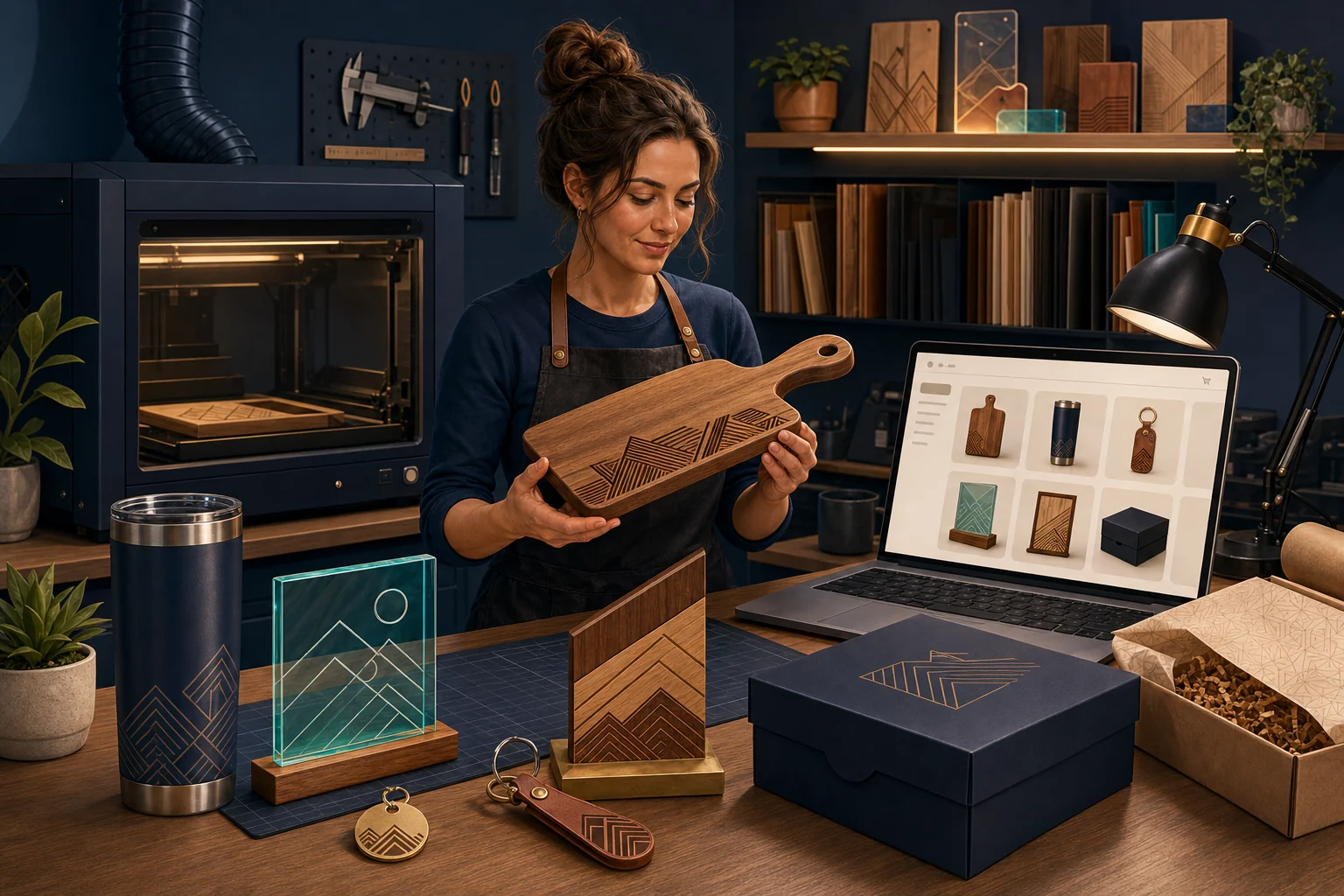
To sell laser-engraved products online successfully, define which products can be ordered through standard checkout, limit personalization to options the shop can reproduce, capture customer text and artwork accurately, use proofs when misunderstanding is possible, price every setup and production step, and connect the order record to a documented engraving and quality-control workflow.
The short answer: standardize the decision before automating the order
A product such as a pet tag with a controlled shape, finish, font, and text length can work well through normal checkout. A corporate award program with multiple logos, recipient lists, materials, deadlines, and delivery locations may require consultation, proofing, a quote, and an invoice.
The storefront should make that boundary obvious. Let customers buy repeatable personalized products directly. Route uncertain artwork, unusual materials, large quantities, complex layouts, and business programs through review.
The engraving machine should never be the first place the business discovers that the order was ambiguous.
1. Decide what the engraving business sells
| Offer type | Customer expectation | Best online workflow |
|---|---|---|
| Ready-made engraved products | Choose an existing design and product | Standard product page and checkout |
| Personalized gifts | Add a name, date, message, monogram, or controlled option | Product personalization fields with clear limits |
| Customer-logo products | Supply business artwork for an approved item | File intake, artwork review, proof, and approval |
| Custom design work | Collaborate on a new layout, sign, award, or product | Inquiry, scope, design fee, proof rounds, quote, and invoice |
| Bulk and corporate gifting | Order quantities, recipient variations, packaging, and deadlines | Business inquiry or wholesale workflow with written specifications |
| Engraving service | Bring or send an existing item | Eligibility review, material testing, risk terms, and quote before payment |
A shop can serve several models, but each needs a different path. Do not put “contact us for anything” beside products that customers should be able to order confidently.
2. Organize the store around buyers and occasions
Customers often search by recipient or event rather than engraving technology. Useful collections may include weddings, anniversaries, memorials, new homes, pets, graduations, employee recognition, client gifts, baby gifts, sports teams, local-business signage, and branded merchandise.
Product-based collections are also valuable: tumblers, cutting and serving boards, signs, plaques, awards, tags, keychains, jewelry, ornaments, leather goods, acrylic displays, and gift sets.
Begin with products the shop has tested
Launch products only after the exact blank, coating, material thickness, fixture, settings, artwork placement, cleanup, packaging, and remake procedure are repeatable. A bargain blank that varies between suppliers can create more support and waste than the margin justifies.
3. Give customers enough information to order correctly
Every personalized product page should address:
- Product dimensions, material, finish, color, and included pieces
- What can be engraved and what cannot
- Maximum text length, lines, characters, or design area
- Available fonts, layouts, icons, and engraving positions
- Whether capitalization and punctuation are reproduced exactly
- Accepted artwork formats and quality requirements
- Whether a proof is included, optional, or unavailable
- Number of proof revisions and what counts as a new design
- Production time, proof delays, rush availability, and shipping time
- Expected variation in wood grain, leather, coating, glass, stone, or other material
- Care instructions, intended use, and relevant limitations
- Return, remake, cancellation, and spelling-error policies
Show an actual finished example. Placeholder text alone makes it harder for buyers to judge scale, contrast, layout, and engraving character.
4. Capture personalization without creating order errors
Shopify variants work well when a choice creates a real version of the product, such as size, material, finish, or base color. Shopify's current variant guidance explains that variants can manage product combinations and inventory.
Names, dates, messages, layout notes, and other order-specific information normally require suitable personalization fields, line-item properties, an application, or custom development. Shopify's current product-customization guidance identifies variants and specialized applications as common approaches.
Good field design prevents mistakes
- Ask one question per field.
- State limits beside the field rather than hiding them in a policy.
- Require customers to confirm spelling and capitalization.
- Use examples that show the expected format.
- Avoid a single large notes field when structured choices are possible.
- Make required and optional information unmistakable.
- Carry the exact selections into the cart, order, proof, and production record.
A live visual preview can be helpful, but it requires a compatible product-personalization system and careful testing. It should not imply exact color, scale, grain, or engraving output unless it can represent those details accurately.
5. Create a controlled customer-artwork workflow
A logo upload can arrive as a low-resolution screenshot, a photo of a business card, a multicolor image unsuitable for the chosen process, a file with missing fonts, or artwork the customer does not have permission to reproduce.
Define the intake requirements
- Accepted vector and raster formats
- Minimum size, resolution, and contrast
- Whether fonts must be converted to outlines
- How multiple colors, gradients, shadows, and fine lines are handled
- Whether artwork cleanup or recreation carries a fee
- File-size, security, privacy, retention, and deletion practices
- What happens when the file cannot produce an acceptable result
- Customer confirmation that they have permission to use the submitted content
Customer file uploads normally require a suitable application, custom form, or separate secure process. Advanced upload and automated artwork handling are not part of a basic storefront by default.
Permission matters
The U.S. Copyright Office's visual-art guidance explains that copyright owners control important uses of their work and that using another person's artwork normally requires permission unless an exception applies. Logos can also involve trademark rights. A customer checkbox does not resolve every infringement issue; establish a documented policy and obtain legal advice for uncertain or high-risk requests.
6. Use proofs when approval prevents expensive remakes
A proof is valuable when the customer must verify spelling, placement, alignment, cropping, logo conversion, hierarchy, or a custom layout. It is not a substitute for photographing the actual material or explaining natural variation.
Proof policy essentials
- When the proof will be sent
- Which email or account receives it
- What the customer is responsible for checking
- How approval must be provided
- How many revisions are included
- What constitutes a new design or paid revision
- How long the shop waits for a response
- Whether production time begins at order, proof delivery, or final approval
- What happens when a customer does not respond
- Whether approved spelling or design errors qualify for a remake
Save the final approved proof with the order and production file. Do not begin irreversible engraving from an informal message that cannot be connected to the correct version.
7. Price setup and risk—not only engraving time
A personalized item's cost includes more than the blank and machine minutes:
- Blank product or raw material, inbound freight, and supplier variation
- Artwork review, cleanup, conversion, layout, and proof communication
- Fixture, jig, masking, focus, alignment, testing, and machine setup
- Engraving, cutting, multiple passes, rotary work, and supervision
- Cleaning, finishing, assembly, hardware, and quality control
- Failed blank, test piece, and remake allowance
- Individual names, variable data, sorting, and recipient lists
- Gift packaging, inserts, labels, and shipping preparation
- Shopify, payment, application, discount, advertising, and customer-service costs
- Equipment, ventilation, maintenance, insurance, utilities, software, professional advice, overhead, and profit
Create understandable pricing layers
Use a base product price plus clearly defined charges for additional engraving locations, complex artwork, proofs, setup, individual personalization, premium packaging, rush service, or shipping to multiple addresses. Apply minimum order or setup charges where a small job requires meaningful preparation.
Do not promise instant volume discounts without confirming that the higher quantity actually reduces unit labor and risk.
8. Explain materials and engraving results honestly
Wood grain, knots, leather tone, coated metal, glass composition, stone texture, acrylic color, and supplied blanks can vary. Engraving color and contrast may depend on the exact product and batch.
| Material consideration | Customer-facing information |
|---|---|
| Wood | Species, dimensions, finish, grain and color variation, care, and intended use |
| Coated metal | Base product, coating, engraving result, care, and supplier variation |
| Acrylic | Thickness, color, edge appearance, stand or mounting, and cleaning |
| Leather or leather-like material | Material identity, finish, color variation, care, and what is not genuine leather |
| Glass or stone | Size, variation, fragility, engraving appearance, and packaging |
| Customer-supplied item | Eligibility, test limitations, existing damage, replacement liability, and acceptance process |
Do not make unsupported claims about food contact, dishwasher safety, UV resistance, permanence, child safety, load capacity, regulatory compliance, or material composition. Confirm supplier documentation and appropriate professional guidance.
Machine safety, compatible materials, ventilation, fire prevention, and operator procedures belong in the business's documented production system. A Shopify listing does not determine whether a material is safe to laser process.
9. Build a separate path for bulk and corporate orders
Corporate gifts, employee recognition, branded merchandise, events, awards, and wholesale programs can produce larger orders but require different information:
- Quantity tiers and minimums
- One design versus variable names or data
- Artwork approval and brand standards
- Sample or preproduction piece
- Packaging, inserts, and kitting
- One destination versus individual recipient shipping
- Purchase order, tax exemption, billing contact, and deadline
- Replacement, overage, shortage, and cancellation terms
Shopify's draft-order documentation explains that merchants can create orders from phone or email requests, use custom prices, apply discounts or surcharges, and send a secure invoice link. Some advanced B2B, payment-term, and deposit features depend on the Shopify plan and configuration, so verify the live requirements before promising them.
10. Connect the online order to one production record
The internal ticket should contain everything needed to reproduce the approved item:
- Order, customer, product, quantity, and deadline
- Exact personalization and approved proof version
- Source artwork and production-ready file
- Blank SKU, supplier, material, color, and size
- Engraver, fixture, position, focus, process, and tested settings
- Masking, rotary, passes, cleanup, finish, assembly, and packaging
- Quality-control checks and operator signoff
- Customer communication and exceptions
Separate processing time from carrier transit. Build capacity around proof delays, variable data, material availability, equipment maintenance, tests, and remakes. If the queue is full, extend lead times or pause rush service rather than accepting deadlines the shop cannot meet.
11. Design shipping, returns, and remakes around personalization
Personalized products may be difficult to resell, but that does not eliminate responsibilities for damage, defects, incorrect work, misleading descriptions, or applicable consumer law.
Policy questions to answer
- When can a personalized order be changed or canceled?
- What happens after proof approval or production begins?
- Who is responsible for customer-entered spelling?
- What variation is normal for the material?
- How are business-caused mistakes corrected?
- What evidence is needed for shipping damage?
- How are replacement deadlines handled for events?
- Can customer-supplied items be replaced if testing or engraving fails?
- Which products are eligible for returns under the actual law and store policy?
Photograph complex or high-value finished work before packing. Test packaging for sharp corners, glass, acrylic, wood movement, coatings, and gift presentation.
12. Build search and marketing around buyers, occasions, and use cases
“Laser engraving services” describes a capability. Customers usually search for the item, recipient, occasion, location, or problem. Create useful collections and content around real demand.
Potential content topics
- How to prepare a logo for laser engraving
- Corporate gift ordering timelines
- Personalized wedding-party gift guides
- Pet-tag sizing and information guides
- Wood, acrylic, metal, leather, and glass engraving comparisons
- How proofs and custom design approvals work
- Bulk award and employee-recognition planning
- Care instructions for the specific products the shop sells
- Behind-the-scenes material tests and quality control
- Case studies for local businesses, events, teams, or organizations
Local search can matter when the shop offers pickup, customer-supplied items, consultations, or business service in a defined area. Product SEO can matter nationally. Shopify supplies the store—not the audience—so identify the first repeatable traffic source before launch.
A laser engraving store launch checklist
- Choose the primary products, occasions, and customer groups
- Select up to ten tested launch products
- Standardize blanks, suppliers, materials, finishes, SKUs, and production settings
- Define personalization fields, character limits, layouts, and font choices
- Create artwork, permission, proof, and approval procedures
- Calculate prices from complete setup, production, risk, and operating costs
- Photograph actual finished products and material variation
- Write production time, shipping, cancellation, return, remake, and customer-supplied-item policies
- Create a separate inquiry path for logos, custom work, and bulk orders
- Test every product option, cart detail, order record, proof, production ticket, email, package, and fulfillment step
- Confirm launch capacity and the first traffic source
Use our complete Shopify launch checklist for payments, shipping, tax settings, policies, notifications, analytics, domain setup, and test orders.
What our free Shopify build can cover for an engraving business
Overtime Innovations offers one separate new Shopify client-transfer store at no build fee for accepted US small businesses. Defined engraved products with reasonable variants can fit the standard offer when the business provides accurate product information, finished-product images, pricing, personalization requirements, policies, and production decisions.
| Included in the standard offer | Outside the standard free scope |
|---|---|
| One new Shopify client-transfer store | Editing or migrating an existing Shopify store |
| Up to 10 defined products and 3 collections with reasonable variants | Large catalogs, live design previews, complex option logic, or automated variable-data systems |
| Basic launch copy and graphics using supplied information and assets | Product design, professional photography, legal review, material testing, or production engineering |
| Typical delivery in 10–15 business days once materials are ready | Guaranteed timing while products, decisions, assets, access, feedback, or approvals are incomplete |
| Typically up to 3 consolidated revision rounds | Unlimited revisions or ongoing redesign |
| 14 days of email-only support beginning on Day 0 | Advanced uploads, automated proofing, quoting, bulk pricing, B2B configuration, integrations, or ongoing management |
The business pays Shopify, domain, paid apps or themes, payment processing, blanks, materials, equipment, ventilation, packaging, shipping, taxes, insurance, professional advice, and all other third-party or operating expenses. Review the complete free Shopify store launch scope before applying.
Frequently asked questions
Is Shopify good for laser engraving businesses?
Yes, when products and personalization are defined clearly. Complex logos, bulk programs, custom designs, or customer-supplied items may need a quote workflow.
How can customers enter engraving text?
Use appropriate personalization fields or product-customization tools and ensure the exact selection is stored with the cart, order, proof, and production record.
Can customers upload a logo?
Yes, with a suitable application, custom form, or secure intake process. File quality, permission, security, retention, proofing, and rejection procedures must be defined.
Should customers approve a proof?
Use proofs when spelling, placement, cropping, logo conversion, or layout could be misunderstood. Save the approval and final version with the order.
How should engraved products be priced?
Include the blank, setup, artwork, proofing, machine time, testing, finishing, failures, labor, packaging, fees, overhead, risk, and profit.
Can Overtime Innovations build the store for free?
The standard offer covers a new store with up to ten defined products and three collections. Advanced personalization, uploads, live previews, automated quotes, bulk systems, and existing-store work are outside the standard scope.
Make accuracy part of the product
The best engraving storefront does not merely attract orders. It turns customer intent into one clear, approved production record before irreversible work begins. Standardize what can be standardized and give custom or high-value work the review it deserves.
Ready to build the first catalog?
- Select up to ten tested products
- Define the allowed personalization for each
- Prepare finished-product photos, pricing, policies, and proof rules
- Confirm that the standard build fits without advanced customization tools